7 days to Die
- Description
- Hardware
- Install
- Settings
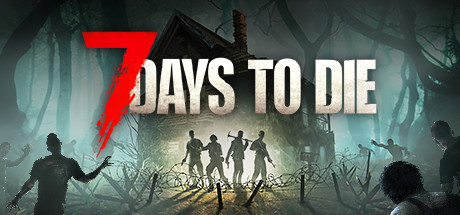
GAME FEATURES
- Explore - Huge, unique and rich environments, offering the freedom to play the game any way you want, featuring 5 unique biomes and worlds up to 100 square kilometers in size.
- Craft – Handcraft and repair weapons, clothes, armor, tools, vehicles, and more with over 500 recipes. Learn more powerful recipes by finding schematics.
- Build – Design your fort to include traps, electric power, auto turrets, automated doors, gadgets and defensive positions to survive the undead in a fully destructible and moldable world.
- Cooperate or Compete – Work together to build settlements or against each other raiding other player's bases, it's really up to you in a wasteland where zombies and outlaws rule the land.
- Create – Unleash your creativity with access to over 800 in-game items, and over 1,300 unique building blocks and a painting system that offers infinite possibilities.
- Improve – Increase your skills with a multitude of perks under 5 main attributes. Gain additional skills by reading over 100 books. 7 Days to Die is the only true survival RPG.
- Choose – Play the campaign world, or dive back in a randomly-generated world with cities, towns, lakes, mountains, valleys, roads, caves and over 700 unique locations.
- Combat – Encounter nearly 60 unique zombie archetypes including special infected with unique behaviors and attacks progressing in difficulty to provide an infinite challenge.
- Survive – Experience real hardcore survival mechanics with nearly 50 buffs, boosts and ailments that will impact the gameplay in ways that can both challenge and aid in your survival.
- Destroy – Buildings and terrain formations can collapse under their own weight from structural damage or poor building design with real structural stability.
- Loot – Scavenge the world for the best weapons, tools, and armor with 6 quality ranges providing thousands of permutations. Augment items with a multitude of mods.
- Quest – Meet several Trader NPCs who buy and sell goods and offer quest jobs for rewards. Enjoy many unique quest types supported by over 700 locations.
- Customize – Create your own character and customize your character further in-game with a huge selection of clothing and armor you can craft or loot in the world.
- Drive – Enjoy the badass vehicle system where you find all the parts, learn the recipes, craft and customize your own bicycle, minibike, motorcycle, 4x4 or gyrocopters and ride with friends.
- Farm or Hunt – Plant and grow gardens for sustainable resources or head out into the wilderness and hunt over a dozen unique wild animals.
Source : Steam
Customer requirements
Minimal:- Operating system : Windows 11, macOS or Linux (64-Bit)
- Processor : 2.8 GHz 4 Core or equivalent performance
- RAM : 8 GB of memory
- Graphics card : Nvidia GTX 1050 or equivalent performance
- Disk space : 15 GB of available disk space
- Operating system : Windows 11, macOS or Linux (64-Bit)
- Processor : 3.2 GHz 4 Core or equivalent performance
- RAM : 12 GB of memory
- Graphics card : GeForce RTX 2070 or equivalent performance
- Disk space : 15 GB of available disk space
Server requirements
- Operating system : Windows 11 or Linux (64-Bit)
- Processor : i5-3570 3.4 GHz 4 core or equivalent performance
- RAM : 16 GB of memory, 32 GB for advanced servers
- Disk space : 25 GB of available disk space

Deploying a server
Prerequisites : Having a hosting on which the Drooft Game Hosting service is installed.
If you haven't already, please follow the installation guide for the Drooft Game Hosting service.
Step 1:
Go to the page adding game server and provide the following information:
- Choice of host : Choose which hosting the game server will be deployed on
- Game : Choose the game to deploy (so 7 Days to Die)
- Game server name : Name your game server so that it is easily identifiable to you
- Game port : Enter the server port. This same port +2 will also be used, for example 8080/8082, 9050/9052, etc. (make sure that the ports are open for UDP/TCP on the internet)..
- Access type : Choose the access mode to your server (password, friends)
Note: Port 8081 is used locally by 7 Days to Die. Therefore, this port cannot be used and must not be exposed to the internet.
Once the above information has been entered, you will be redirected to your server's administration page.
Step 2:
Wait a few minutes for the server to go into the state "Game server turned off" (depending on the speed of your internet connection).
Now that the server is initialized, you can configure a number of server options at the bottom of the page (eg: Maximum number of players).
Start your server (button "to start up").
If your server is on Windows, you may be prompted to install a dependency, click accept.
The game server is ready, all you have to do is play and invite your friends !
Tips:
1. Check that the server port is open to the internet (UDP and TCP). You can use online tools like "https://portchecker.co/check-v0" to confirm your network stream opening.
Customizing Server Settings
A number of game server settings can be changed directly from the site. This list is constantly evolving.
Below is the list of already supported options:
- Password : Allows you to join the game (single player)
- Admin password : Allows you to join the game server in administrator mode (access to options)
- Maximum number of players : Allows you to choose the maximum number of simultaneous players on the server
- Difficulty : Allows you to choose the server difficulty
Other options may be added in the future, depending on needs.