The Front
Self-hosted
Description
Hardware
Install
Settings
Description
 See on Steam
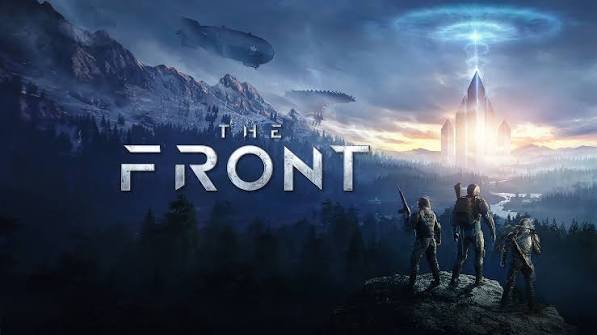
The Front is an early-access open-world survival game mixing exploration, crafting, base building and PvP/PvE combat. Gather resources, grow your base and survive both the open world's dangers and other players.
The game supports multiplayer via dedicated servers, keeping a persistent world accessible at any time, even while players are offline.
The Front offers a dedicated server available on both Windows and Linux.
Hardware
Server OSWindows / Linux
Server RAM8 to 16 GB
Server storage~20 GB
Customer requirements
Minimal:
Operating systemWindows 11 (64-Bit)
Processori5-8400 or equivalent performance
RAM16 GB of memory
Graphics cardNvidia GTX 1060 6GB or equivalent performance
Disk space40 GB of available disk space
Recommended:
Operating systemWindows 11 (64-Bit)
Processori7-9700 or equivalent performance
RAM32 GB of memory
Graphics cardNvidia RTX 3060 Ti or equivalent performance
Disk space40 GB of available disk space
Install
Deploying a server
Prerequisites : Have a Windows or Linux host with the Drooft Game Hosting service installed.
If you haven't already, please follow the installation guide for the Drooft Game Hosting service.
If you haven't already, please follow the installation guide for the Drooft Game Hosting service.
Steps:
1
Go to the page adding game server and fill in: host, game (The Front), server name, game port (default 7900, a second port 7902 is automatically reserved) and access type (password, friends, public).
2
Wait a few minutes for the server to switch to the "Game server turned off" , then configure the maximum number of players at the bottom of the page.
3
Start your server (button "to start up") : all that's left is to play and invite your friends !

Tips:
Check that both server ports are open on the internet (UDP and TCP). You can test whether your ports are open directly from your game server's page, using the icon .
Settings
Customizing Server Settings
A number of game server settings can be changed directly from the site:
Password
Allows you to join the game (single player)
Maximum players
Maximum number of players who can join the server simultaneously
Other options may be added in the future, depending on needs.