Description
 See on Steam
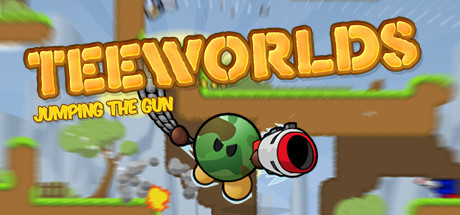
Teeworlds is a free, retro cartoon-styled 2D multiplayer shooter. Fight other players in Deathmatch, Team Deathmatch or Capture the Flag, using a varied arsenal (grenade launcher, laser rifle, hammer...) and a grappling hook enabling highly dynamic movement.
The game supports multiplayer via dedicated servers, keeping a persistent server accessible at any time, even while players are offline.
Teeworlds offers a dedicated server available on both Windows and Linux.
DDraceNetwork (DDNet) is also supported as its own game mode: a very popular community mod (solo or team racing through trap-filled maps, with progress and record saving). Selecting it as the game mode automatically downloads and launches the dedicated DDNet server on next start.
Install
Deploying a server
Steps:
1
Go to the page adding game server and fill in: host, game (Teeworlds), server name, game port (8303 by default) and access type (password, friends, public).
2
Wait a few minutes for the server to switch to the "Game server turned off" , then configure the game mode, players, maps, match rules and moderation at the bottom of the page.
Tips:
Check that the server port is open on the internet (UDP and TCP). You can test whether your ports are open directly from your game server's page, using the icon .
Settings
Customizing Server Settings
A number of game server settings can be changed directly from the site:
General
Password
Lets players join the game
Admin password
Server RCON password.
Game mode
Deathmatch, Team Deathmatch, Capture the Flag or DDraceNetwork
Maximum players
Maximum number of players who can join the server simultaneously
Extra spectator slots
Slots reserved for spectators, on top of players.
Welcome message
Message shown to each player when they join.
Map rotation
Map rotation
Selection of enabled official maps, per game mode — for Deathmatch/Team Deathmatch/Capture the Flag they rotate automatically; for DDraceNetwork they can be voted in game (F3/F4 menu)
Rounds per map
Number of rounds played on a map before moving to the next one in the rotation.
Game rules
Only for Deathmatch, Team Deathmatch and Capture the Flag modes.
Score to win
Score needed to win a round (or unlimited)
Max round duration
Maximum round duration in minutes (or unlimited)
Warmup
Warmup duration before the round starts
Friendly fire
Team modes only (Team Deathmatch, Capture the Flag).
Auto team balance
Team modes only.
Map power-ups
Power-ups such as the ninja.
Tournament mode
Players join as spectators and pick a team manually.
DDraceNetwork
Teams
Race teams: players in the same team interact with each other and finish the map together.
Map change vote
Enabled maps can be voted in game (F3/F4). Disabled: only the first map is played.
/rescue command
Lets players teleport out of a freeze zone.
Pause allowed
Allow or disallow players to pause their character (/pause)
Solo server
No interaction between players: everyone plays the map alone.
Votes & moderation
Kick votes
Allow or disallow kick votes, with an adjustable ban duration
Votes to move to spectators
Allow or disallow votes to move a player to spectators
Inactive players
Move inactive players to spectators or kick them after an adjustable delay
Other options may be added in the future, depending on needs.