Description
 See on Steam
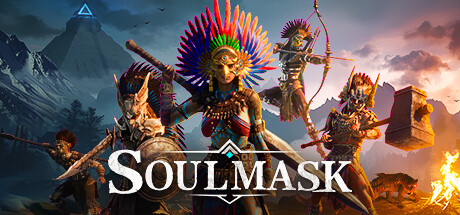
Soulmask is an open-world survival game developed by CampFire Studio and published by Qooland Games. The adventure takes place in a world inspired by primitive civilizations and tribal cultures, where players must survive in a wilderness teeming with danger.
After discovering a mysterious ancient mask with special powers, the player gains the ability to control different warriors and inherit their skills. This unique mechanic allows players to adapt their playstyle to different situations, whether it's combat, exploration, or crafting.
The gameplay combines resource gathering, village building, farming, hunting, and combat against wild creatures or enemy tribes. Players can recruit companions, grow their community, and automate certain tasks to improve their camp.
With its vast open world, in-depth survival system, and tribal management mechanics, Soulmask offers an immersive experience that blends exploration, strategy, and progression in a hostile and mysterious environment.
Hardware
Server OSWindows 11 / Linux
Server RAM16 GB
Server storage20 GB
Customer requirements
Minimal:
Operating systemWindows 11 (64-Bit)
Processori5-8400, Ryzen 3 3300X or equivalent performance
RAM16 GB of memory
Graphics cardNvidia GTX 970, AMD RX 580 or equivalent performance
Disk space25 GB of available disk space (SSD preferred)
Recommended:
Operating systemWindows 11 (64-Bit)
ProcessorRyzen 7 3700X, i7-9700 or equivalent performance
RAM24 GB of memory
Graphics cardNvidia RTX 3060, AMD 6700XT or equivalent performance
Disk space25 GB of available disk space (SSD preferred)
Install
Deploying a server
Installing a Soulmask game server takes between 5 and 10 minutes, mostly due to the game server download time!
Steps:
1
Go to the page adding game server and fill in: host, game (Soulmask), server name, game port, game port 2, RCON port (do not expose it on the internet) and access type (password, friends, public).
2
Open these two ports in UDP/TCP on your router/firewall, as well as a third automatic UDP port (game port + 1) used internally by the game engine, not separately configurable. Port 18888 is also reserved internally by Soulmask — don't use it and don't expose it on the internet.
3
Wait a few minutes for the server to switch to the "Game server turned off" (depending on your connection speed).
4
Start your server (button "to start up") — on Windows, if a prompt asks you to install a dependency, accept it. All that's left is to play and invite your friends !

Tips:
Check that the server port is open on the internet (UDP and TCP). You can test whether your ports are open directly from your game server's page, using the icon .
Settings
Customizing Server Settings
A number of game server settings can be changed directly from the site:
Server customization (basic)
Password
Allows you to join the game (single player)
Admin password
Gives access to in-game admin (GM) commands, and is used for the player count shown on the site
Maximum number of players
Allows you to choose the maximum number of simultaneous players on the server
PvP or PvE
Enable or disable PvP on the server
Map selection
Cloud Mist Forest (base map) or Shifting Sands: DLC map, every player must own it to join the server
Backups
Saves and backups
How often the world is saved and backed up to disk, and a backup on every server startup
Experience
Experience multipliers
General experience, skill proficiency, mask experience and tribesmen combat experience share
Harvesting & crafting
Harvesting
Amount harvested from plants, wood, stone and ore, and animal carcass loot
Crafting time
Crafting and processing time (workbenches, furnaces...)
Equipment durability
Allows you to define the wear on equipment
Survival & day/night cycle
Hunger and thirst
Food and water consumption
Inventory
Carry weight, spoilage speed, and whether you keep your inventory on death
Day/night cycle
Daytime share of a day and time flow speed
Tribe & recruitment
Tribesmen
Number of recruitable tribesmen per player (by level) and per tribe, and number of tribesmen accompanying you
Recruitment
How fast a captured barbarian comes to recognize you before they can be recruited
Maximum players per tribe
Maximum number of players in the same tribe
Animals & breeding
Breeding
Growth speed, breeding interval and hatching speed
Number of animals
Maximum number of animals per player and per tribe
Combat
Wild creatures and NPCs
Damage dealt and damage taken
Barbarian invasions
Invasions
Enable or disable invasions (and random invasions), their size, strength and time window
Buildings
Decay
Enable or disable building decay, its speed and the repair speed
PvP
PvP damage
Melee and ranged damage between players
PvP hours
PvP time windows, on weekdays and weekends
Other options may be added in the future, depending on needs.