Description
 See on Steam
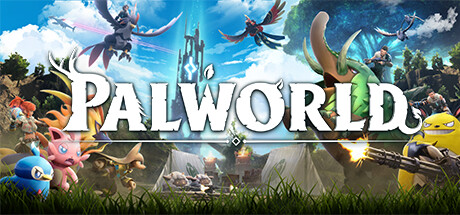
Palworld is an open-world survival game developed by Pocketpair. Players explore a vast world filled with creatures called "Pals" which can be captured, trained, and used in various ways.
Pals can assist with combat, construction, farming, and resource gathering. Each creature has unique abilities that allow players to develop their base and explore increasingly dangerous areas. The game combines survival, crafting, exploration, and management.
In addition to adventure and creature collecting, Palworld features mechanics for crafting weapons, building structures, and multiplayer cooperation. Players can work together to build infrastructure, battle bosses, or go on expeditions.
With its colorful world contrasting with more realistic—and at times dark—survival mechanics, Palworld offers a unique experience that combines creature capture, action, and management in a dynamic open world.
Settings
Customizing Server Settings
More than 50 game server settings can be changed directly from the website, grouped by theme, whether the server is stopped or running. They apply on the next start.
Server customization (basic)
Password
Allows you to join the game (single player)
Admin password
Allows you to join the game server in administrator mode (access to options)
Maximum number of players
Allows you to choose the maximum number of simultaneous players on the server
Server & crossplay
Server description
Text shown under the server name in the server list.
Crossplay
Platforms allowed to join the server: Steam, Xbox / Microsoft Store, PS5 and Mac.
Player list visible to everyone (Escape menu)
Shows the list of connected players to all players, not just admins.
Autosave interval (seconds)
How often the world is saved automatically.
Progression & harvesting
XP multiplier
Allows you to increase or decrease the XP gain
Pal capture rate
The higher the value, the easier Pals are to capture.
Large egg hatching time (hours)
72 hours by default for huge eggs. 0 = instant hatching.
Pal work speed
Speed at which Pals craft, mine, farm... at the base.
Amount of resources harvested
Amount obtained from trees, rocks and other resources.
Tree and rock durability
Number of hits needed to harvest a resource.
Resource respawn speed
Speed at which trees and rocks respawn.
Enemy loot
Amount of items dropped by defeated Pals and enemies.
Difficulty & combat
Death penalty
What the player leaves behind on death.
Pal and player damage
Damage dealt and taken, adjustable separately for Pals and for players.
Wild Pal density
Above 1, the server is under much heavier load.
Base raids
Groups of enemies regularly attack bases.
Predator Pals (roaming bosses)
Enables predator Pals, bosses that roam the world.
Hardcore mode (permanent player death)
A dead player can no longer come back with this character.
Pals permanently lost on death
A Pal that dies in combat disappears permanently.
Survival
Hunger, stamina and regeneration
Hunger speed, stamina consumption and HP regeneration, adjustable separately for players and Pals.
Item weight
The lower the value, the more items players can carry.
Equipment wear
Weapon and armor wear speed (0 = no wear).
World
Daytime speed
The higher the value, the faster days go by.
Nighttime speed
Allows you to increase or decrease the length of the night
Fast travel
Allows or not teleporting between travel statues.
Choose the starting point on the map
Lets new players choose their spawn point.
The character stays in the world after logging out
A disconnected player's character stays present (and vulnerable) in the world.
Maximum number of items on the ground
Lowering this value reduces lag on very busy servers.
Lifetime of items on the ground (hours)
Delay before an item left on the ground disappears.
Interval between supply drops (minutes)
Frequency of supply crates dropped in the world.
Randomizer (Pal spawns)
Shuffles the Pals that spawn in each region, with a seed to get the same distribution again.
Bases & guilds
Number of bases per guild
Maximum number of bases a guild can build.
Maximum pals at camp
Allows you to choose the maximum number of pals on the camp
Maximum players per guild
Maximum number of members in a guild.
Damage dealt to structures
Building resistance to attacks.
Wear of structures outside a base
Speed at which structures outside a base deteriorate.
Maximum structures per base (0 = unlimited)
Limits the number of structures to preserve performance.
Delete inactive guilds
Deletes the bases of a guild none of whose members has logged in within the chosen delay.
PvP
PvP mode
Combine with “Damage between players” so players can actually hurt each other.
Damage between players
Allows players to hurt each other.
Friendly fire
Allows damage between members of the same guild.
Base defenses attack other guilds
A base's turrets and defenses target players from other guilds.
Pick up items lost by other guilds
Allows picking up the items dropped on death by a player from another guild.
Live administration
Send an announcement
Message shown immediately in the chat of all connected players.
Connected players
List of online players, with one-click kick and ban.
Banned players
List of banned players, including those banned in game, with one-click unban and a link to their Steam profile.