Description
 See on Steam
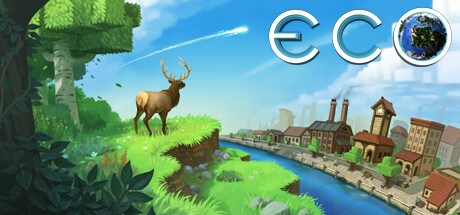
Eco Global Survival is a survival and simulation game developed by Strange Loop Games. A meteor will strike the planet after a fixed number of in-game days: players must work together to build, within that time limit, a civilization technologically advanced enough to destroy it.
Unlike most survival games, Eco Global Survival simulates a genuine ecosystem: every tree cut down, every mine dug and every factory built has a real impact on the environment, potentially leading to species extinction or lasting pollution of land and water if the civilization doesn't organize itself.
The game relies on deep specialization: no single player can learn everything, which pushes the community toward trade and economy. A fully player-run currency and government system (laws, taxes, votes) lets the community regulate production and protect the environment collectively.
Eco Global Survival is designed first and foremost for community servers: cooperation, negotiation and collective organization are at the heart of the experience, far more than combat.
With Drooft, everything is configured from the website: world size and geography, meteor, collaboration level, progression, exhaustion, admins, a server showcase in your community's colors... Drooft also provides its own mods (single currency, minimum store prices, wealth tax, block history), enabled in one click.
Settings
Customizing Server Settings
A number of game server settings can be changed directly from the site:
Server customization (basic)
Password
Allows you to join the game (single player)
Strange Cloud token
Strange Cloud token required to start the server — see the "Important" box above
Admin password
Server RCON password, used for the player count shown on the site
Maximum number of players
Allows you to choose the maximum number of simultaneous players on the server
World paused
The world is completely frozen, players and admins included: nobody can move or act. Useful to suspend a game without shutting the server down. The pause is only lifted from the website, never by a player joining; applied at the next server start.
Web administration
Direct link to Eco's web administration interface, open on the game port + 1.
Server showcase
In-game name
Name shown in Eco's server browser, colors included. Empty: the server's Drooft name is used.
Detailed description
Shown in Eco's server browser (500 characters max).
Discord invite
Link to your community's Discord, shown on the server's page in Eco.
Category
Server category in Eco's public list.
Server language
Language of server messages, also shown in Eco's server list.
World & meteor
Meteor
Enable or disable the meteor, and choose the number of days before impact.
World size
Small, medium or large world, with a fixed seed to recreate a specific map.
Geography
Share of land, number of continents, small islands, lakes and rivers.
Biome distribution
Ready-made preset or a custom share for each biome (desert, forests, taiga, tundra, ice, wetlands...).
Progression & crafting
Collaboration
Preset based on the expected number of players: sets experience gain, specialty cost, crafting and laser cost. The higher the collaboration, the more players must specialize and trade.
Skills and experience
Skill point gain, star cost, base experience per day and catch-up for players who join mid-game.
Crafting
Crafting resource cost and duration, stack size, item weight, cost of the laser and skill books.
Professions and specialties
Maximum number of professions and specialties per player, extra cost of additional specialties, abandoning and refunds.
Star and module costs
Experience curve from one star to the next and number of stars required to craft upgrade modules.
Survival & environment
Nature and pollution
Plant growth speed, food shelf life, building pollution and animal behavior.
Calories and day/night cycle
Calories burned while moving, day/night cycle speed and time fast-forward when everyone is asleep.
Shovel capacity
Wooden, iron, steel and modern shovels
Maximum number of blocks a shovel can pile into each carried slot while digging (1, 3, 5 and 10 by default).
Exhaustion (playtime)
Limit playtime (exhaustion)
Once their time is up, players are exhausted until the next day: nobody gets ahead by playing non-stop.
Carry over unused hours
Hours not used on a given day can be saved for later, up to the chosen limit.
Admins & access
Administrators
Access to in-game admin commands.
Whitelist
These players join the server without entering its password.
Banned players
These players can no longer connect.
Game backups
Eco automatic backups
Frequency and number of in-game backups kept, on top of Drooft backups, and how often the world is saved to disk.
mod.io mods
mod.io mod IDs
The listed mods are downloaded and loaded by the server when it starts.
Drooft mods
Drooft provides its own Eco mods, enabled and configured from the server page: no files to copy, they are installed and updated automatically at startup.
Single currency
A shared currency created by the server, which players cannot mint. A starting amount is paid to each player and to the treasury of each new city, and personal currencies are removed.
Store prices
Prevents selling or buying below an item's real cost, or above a ceiling. The price of each base resource is set on a dedicated page; crafted items derive from it through their recipes.
Wealth tax
Progressive tax by brackets, collected at random intervals from the richest players and then redistributed equally. Players absent for several days lose all their currency.
Traces
Block history: who mined, built, placed an object, cut down a tree or harvested, and when. In game, aim at a block and type /traces bloc.
Adobe near water
Forbids placing adobe above or touching water, and removes any already placed on every startup, without refunding the materials.
City objectives
Construction objectives (port, sewers...) defined on the website: each city that completes them receives a reward in its treasury, after an admin validates them.
Specialty lock
Prevents learning Mechanics and Industry before a game day chosen on the website (days 8 and 15 by default).
Admin-only objects
Reserves placing the computer lab, a step towards the endgame lasers, to server admins.
Admin commands
Admin-only commands, including /recuperer to bring back a player's vehicles that fell under the map.
Related documents
Eco admin commands
Cheat sheet for the game and Drooft mods, with examples
Other options may be added in the future, depending on needs.