Description
 See on Steam
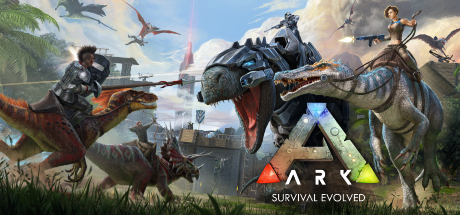
ARK: Survival Evolved is an open-world survival game developed by Studio Wildcard. Players wake up on a mysterious island called ARK, populated by dinosaurs, prehistoric creatures, and fantastical animals.
To survive, players must gather resources, craft tools, build shelters, and learn to defend themselves against environmental hazards as well as other players. A central feature of the game is the ability to tame and train dinosaurs to use them as mounts, guardians, or helpers for transportation and combat.
As the adventure unfolds, players uncover the secrets of the ARKs, ancient structures built using advanced technology. The game combines exploration, survival, crafting, and cooperation in a vast and dangerous world where progressing unlocks increasingly advanced gear.
With its rich gameplay, impressive creatures, and options for single-player or multiplayer gameplay, ARK: Survival Evolved has become a benchmark among modern survival games.
Hardware
Server OSWindows 11 / Linux
Server RAM16 GB or more
Server storage50 GB
Customer requirements
Minimal:
Operating systemWindows 10 or higher, or macOS (64-Bit)
Processori5-2400, AMD FX-8320 or equivalent performance
RAM8 GB of memory
Graphics cardNvidia GTX 670, Radeon HD 7870 or equivalent performance
Disk space60 GB of available disk space
Recommended:
Operating systemWindows 10 or higher, or macOS (64-Bit)
Processori5-4670K, Ryzen 5 2600 or equivalent performance
RAM16 GB of memory
Graphics cardGTX 670, Radeon R9 280 or equivalent performance
Disk space100 GB of available disk space
Steam only publishes an official "Minimum" configuration for ARK: Survival Evolved — the "Recommended" configuration above is a reasonable estimate for optimal comfort, not an official Studio Wildcard value.
Install
Deploying a server
Installing an Ark Survival Evolved game server takes a lot of time, mainly due to the download time of the game server, which is extremely heavy!
Steps:
1
Go to the page adding game server and fill in: host, game (Ark Survival Evolved), server name, game port, game port 2, RCON port (do not expose it on the internet) and access type (password, friends, public).
2
Open these two ports in UDP/TCP on your router/firewall, as well as a third automatic UDP port (game port + 1) used internally by the game engine, not separately configurable.
3
Wait a few minutes for the server to switch to the "Game server turned off" (depending on your connection speed), then configure the server options at the bottom of the page (e.g.: maximum number of players).
4
Start your server (button "to start up") — on Windows, if a prompt asks you to install a dependency, accept it. All that's left is to play and invite your friends !

Tips:
Check that the server port is open on the internet (UDP and TCP). You can test whether your ports are open directly from your game server's page, using the icon .
Settings
Customizing Server Settings
A number of game server settings can be changed directly from the site:
Server customization (basic)
Password
Allows you to join the game (single player)
Admin password
Allows you to join the game server in administrator mode (access to options)
Maximum number of players
Allows you to choose the maximum number of simultaneous players on the server
Map selection
Allows you to choose the game map from the list of available options.
PvP or PvE
Enable or disable PvP on the server
Server & events
BattlEye anti-cheat
Disabling BattlEye lets players without BattlEye installed join, but removes anti-cheat protection.
Seasonal event
Enables the decorations, creatures and rewards of an official event, whatever the date.
Welcome message
Message shown to each player when they join.
Steam Workshop mods
Active mods (by priority)
Mods are downloaded and updated automatically each time the server starts. Players download them automatically when joining the server.
Progression & harvesting
XP multiplier
Allows you to increase or decrease the XP gain
Harvest multiplier
Amount of resources gathered per harvesting hit (trees, rocks, creatures...).
Item stack size
Allows you to increase or decrease the stacking of items
Crop growth speed
The higher the value, the faster crops grow.
Difficulty & day/night cycle
DifficultyOffset
Allows you to increase or decrease the game's difficulty
OverrideOfficialDifficulty
Allows you to increase or decrease the game difficulty (option 2)
Day/night cycle speed
Overall speed of time passing. A lower value makes both days AND nights longer.
Daytime speed
Speed of time during the day only. A lower value makes days longer.
Nighttime speed
Allows you to increase or decrease the length of the night
Player survival
Food consumption
How fast players get hungry. A lower value reduces hunger.
Water consumption
How fast players get thirsty. A lower value reduces thirst.
Unlimited mindwipe
Lets players respec their stat points with a Mindwipe Tonic without any cooldown.
Stamina on flying mount
Players recover stamina while standing on a flying creature.
Creatures & taming
Taming speed
Allows you to increase or decrease the taming speed
Creature food consumption
How fast creatures get hungry. A higher value also speeds up food-based taming.
Flyer carry (PvE)
Allows flying units in PvE mode to transport wild dinosaurs
Breeding & imprinting
Mating interval
Allows you to increase or decrease the time between two matings.
Egg hatch speed
Allows you to increase or decrease the time it takes for eggs to hatch
Baby maturation speed
Allows you to increase or decrease the time it takes for a baby dinosaur to reach maturity.
Cuddle interval
Time between two imprinting requests from a baby. A lower value brings cuddles closer together (lower it if maturation is sped up).
Cuddle grace period
Time allowed to answer an imprinting request before it is lost.
Imprinting stat bonus
Stat bonus granted by a full imprint. 0 disables this bonus.
Interface & comfort
Player position on the map
Show or hide your own position on the map
Third-person view
Allow or disallow third-person view
Crosshair
Show or hide the crosshair
Floating damage numbers
Show or hide damage numbers above targets
Decay & cryopods
Structure decay (PvE)
An inactive player's structures eventually decay and become destroyable. The multiplier lengthens (higher value) or shortens this delay.
Creature decay (PvE)
An inactive player's creatures eventually become claimable by other players.
Cryopods near enemies
Allows capturing or releasing a creature even when enemies are nearby.
Cryopods without cryofridge
Allows releasing a creature without a nearby cryofridge.
Cryofridge on platform saddles
Allow or disallow a cryofridge on platform saddles
Other options may be added in the future, depending on needs.