7 days to Die
Retour à Self-hosted
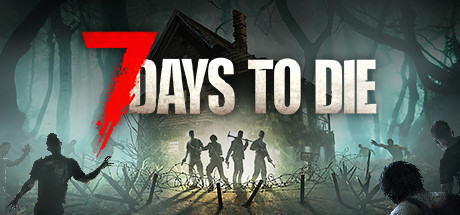
7 Days to Die is an open-world survival game that combines exploration, crafting, building, and zombie combat. Developed by The Fun Pimps, the game is set in a post-apocalyptic world ravaged by an infection that has turned most of the population into the undead.
Players must survive by gathering resources and crafting weapons, tools, and shelters, all while managing their hunger, thirst, and health. The world is fully destructible and procedurally generated, allowing for a great deal of freedom in exploration and building.
The game's unique feature is its seven-day cycle: every seven nights, a “blood moon” unleashes a massive horde of particularly aggressive zombies. The player must then defend their base and hold out until sunrise. As the days go by, the enemies become more numerous and powerful.
With its blend of survival, crafting, RPG, and tower defense elements, 7 Days to Die offers a cooperative and strategic experience that is highly popular among fans of survival games.
See on : Steam
Customer requirements
Minimal:
- Operating system : Windows 11, macOS or Linux (64-Bit)
- Processor : 2.8 GHz 4 Core or equivalent performance
- RAM : 8 GB of memory
- Graphics card : Nvidia GTX 1050 or equivalent performance
- Disk space : 15 GB of available disk space
Recommended:
- Operating system : Windows 11, macOS or Linux (64-Bit)
- Processor : 3.2 GHz 4 Core or equivalent performance
- RAM : 12 GB of memory
- Graphics card : GeForce RTX 2070 or equivalent performance
- Disk space : 15 GB of available disk space
Server requirements
- Operating system : Windows 11 or Linux (64-Bit)
- Processor : i5-3570 3.4 GHz 4 core or equivalent performance
- RAM : 16 GB of memory, 32 GB for advanced servers
- Disk space : 25 GB of available disk space
Deploying a server
If you haven't already, please follow the installation guide for the Drooft Game Hosting service.
L'installation d'un serveur de jeu 7 days to Die peut prendre beaucoup de temps sur Windows, principalement lié au temps de téléchargement du serveur de jeu qui est assez lourd !
Step 1:
Go to the page adding game server and provide the following information:
- Choice of host : Choose which hosting the game server will be deployed on
- Game : Choose the game to deploy (so 7 Days to Die)
- Game server name : Name your game server so that it is easily identifiable to you
- Game port : Enter the server port. This same port +2 will also be used, for example 8080/8082, 9050/9052, etc. (make sure that the ports are open for UDP/TCP on the internet)..
- RCON port : Renseignez le port Telnet d'administration du serveur (utilisé notamment pour afficher le nombre de joueurs connectés). Il doit être différent des autres ports du serveur. Ce port ne doit PAS être exposé sur internet (ne l'ouvrez pas sur votre box/pare-feu), il est réservé à un usage local.
- Access type : Choisissez le mode d'accès à votre serveur (password, amis, public)
Note: Port 8081 is used locally by 7 Days to Die. Therefore, this port cannot be used and must not be exposed to the internet.
Once the above information has been entered, you will be redirected to your server's administration page.
Step 2:
Wait a few minutes for the server to go into the state "Game server turned off" (depending on the speed of your internet connection).
Now that the server is initialized, you can configure a number of server options at the bottom of the page (eg: Maximum number of players).
Start your server (button "to start up").
If your server is on Windows, you may be prompted to install a dependency, click accept.
The game server is ready, all you have to do is play and invite your friends !
Tips:
Customizing Server Settings
A number of game server settings can be changed directly from the site. This list is constantly evolving.
Below is the list of already supported options:
Other options may be added in the future, depending on needs.