Description
 See on Steam
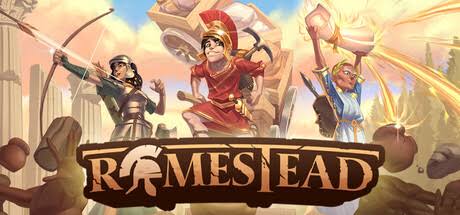
Romestead is an action-adventure survival game for 1 to 8 players, released in Early Access in May 2026. In a world inspired by ancient Rome, rebuild civilization: fight hordes of the walking dead, found settlements, restore the Roman gods... or simply farm your land with friends.
The game offers a dedicated server that keeps your world online at all times: everyone can join whenever they like, even when the other players are away.
This dedicated server is available on both Windows and Linux.
Hardware
Server OSWindows / Linux
Server RAM4 to 8 GB
Server storage10 GB
Customer requirements
Minimal:
Operating systemWindows 10 (64-Bit)
ProcessorIntel Core i5
RAM8 GB of memory
Graphics cardNot specified by the publisher on the Steam page
Disk space2 GB of available disk space
Recommended:
Operating systemWindows 10 (64-Bit)
ProcessorIntel Core i7
RAM16 GB of memory
Graphics cardNot specified by the publisher on the Steam page
Disk space4 GB of available disk space
Install
Deploying a server
Steps:
1
Go to the page adding game server and fill in: host, game (Romestead), server name, game port (8050 by default) and access type. A “Public” server has no password; a “Privé” or “Amis” server is password-protected.
2
Wait a few minutes for the server to switch to the "Game server turned off" , then choose the world size and, if you wish, its seed at the bottom of your server's page (see the Settings tab). Do it before the first start: the world is created at that moment, and these two settings have no effect afterwards.
4
To join the server, players enter your host's public IP address, the game port and the password shown on your Drooft server page.
Tips:
Make sure the server port is open to the internet (UDP). You can test whether your ports are open directly from your game server's page, using the icon .
Settings
Customizing Server Settings
A number of game server settings can be changed directly from the website, whether the server is stopped or running. They apply on the next start.
Server customization (basic)
Password
Allows you to join the game (single player)
Maximum players
Maximum number of players who can be on the server at the same time (the game is balanced for 1 to 8 players)
World
World size
Small, Standard or Large. A large world needs 8 GB of RAM, both to generate it and to run it.
World seed
Number that determines world generation: the same seed gives the same world. Leave empty for a random world.
The size and seed are only read when the world is created, on the server's first start: changing them afterwards has no effect on the existing world.
Game backups
The server automatically saves the world every 6 minutes. You can also create and restore full backups of your server from its page on Drooft.