Description
 See on Steam
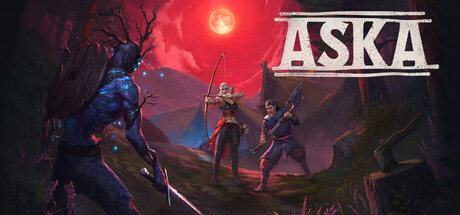
Aska is a Norse-mythology-inspired survival and village-building game developed by studio Nautilus. You play as a Viking chief shipwrecked on a mysterious island and must rebuild a viable village there: gathering resources, crafting, farming and defending against the island's creatures.
The game emphasizes collaborative village management over solo survival: several players can split tasks (woodcutting, building, exploration) to grow the same settlement.
Aska is available in Early Access on Steam, and supports co-op play via a dedicated server.
Hardware
Server OSWindows only
Server RAM4 to 8 GB
Server storage10 GB
Customer requirements
Minimal:
Operating systemWindows 10 (64-Bit)
ProcessorIntel Core i5 6600 or AMD Ryzen 5 1600
RAM16 GB of memory
Graphics cardNvidia GeForce GTX 1660 (6 GB) or AMD RX 590
Disk space6 GB of available disk space
Recommended:
Operating systemWindows 10 (64-Bit)
ProcessorIntel Core i5 6600 or AMD Ryzen 5 1600
RAM16 GB of memory
Graphics cardNvidia GeForce GTX 1660 (6 GB) or AMD RX 590
Disk space6 GB of available disk space
As the game is in early access, Steam does not yet publish a separate "Recommended" configuration — the values above match the official minimum configuration.
Install
Deploying a server
Installing an Aska game server is quick, as the game is significantly lighter to download than most other supported games.
Steps:
1
Go to the page adding game server and fill in: host, game (Aska), server name, game port, query port, and access type (password, friends, public).
2
Wait a few minutes for the server to switch to the "Game server turned off" , then configure the server options at the bottom of the page (region, Game Server Login Token).
Important : Aska requires a "Game Server Login Token" (GSLT, a free Steam token tied to your account, obtained from the Steam server management site) to start. Enter it in the "Game Server Login Token" field at the bottom of the page — the "start" button stays disabled until it is filled in.

Tips:
Check that both server ports are open on the internet (UDP and TCP). You can test whether your ports are open directly from your game server's page, using the icon .
Settings
Customizing Server Settings
A number of game server settings can be changed directly from the site:
Password
Allows you to join the game (single player)
Region
Region announced by the server in the Steam server browser
Game Server Login Token
Steam Game Server Login Token (GSLT), required to start the server — see the Installation tab
Other options may be added in the future, depending on needs.